mms
A museum management system (MMS) built for the MIM Museum. A desktop app featuring mineral cataloguing, inventory management, maintenance scheduling, and a POS system for the museum’s boutique.


The MIM Museum in Beirut is a mineral museum with a boutique attached. This is the desktop app I built for both of them as my graduation project. Staff log in, and what they see depends on their job: the museum side covers the collection, events, donations, guests, equipment and maintenance. The boutique side covers the till, the stock, customers and past sales.
It's a VB.NET Windows Forms app on .NET Framework 4.8, backed by SQL Server.
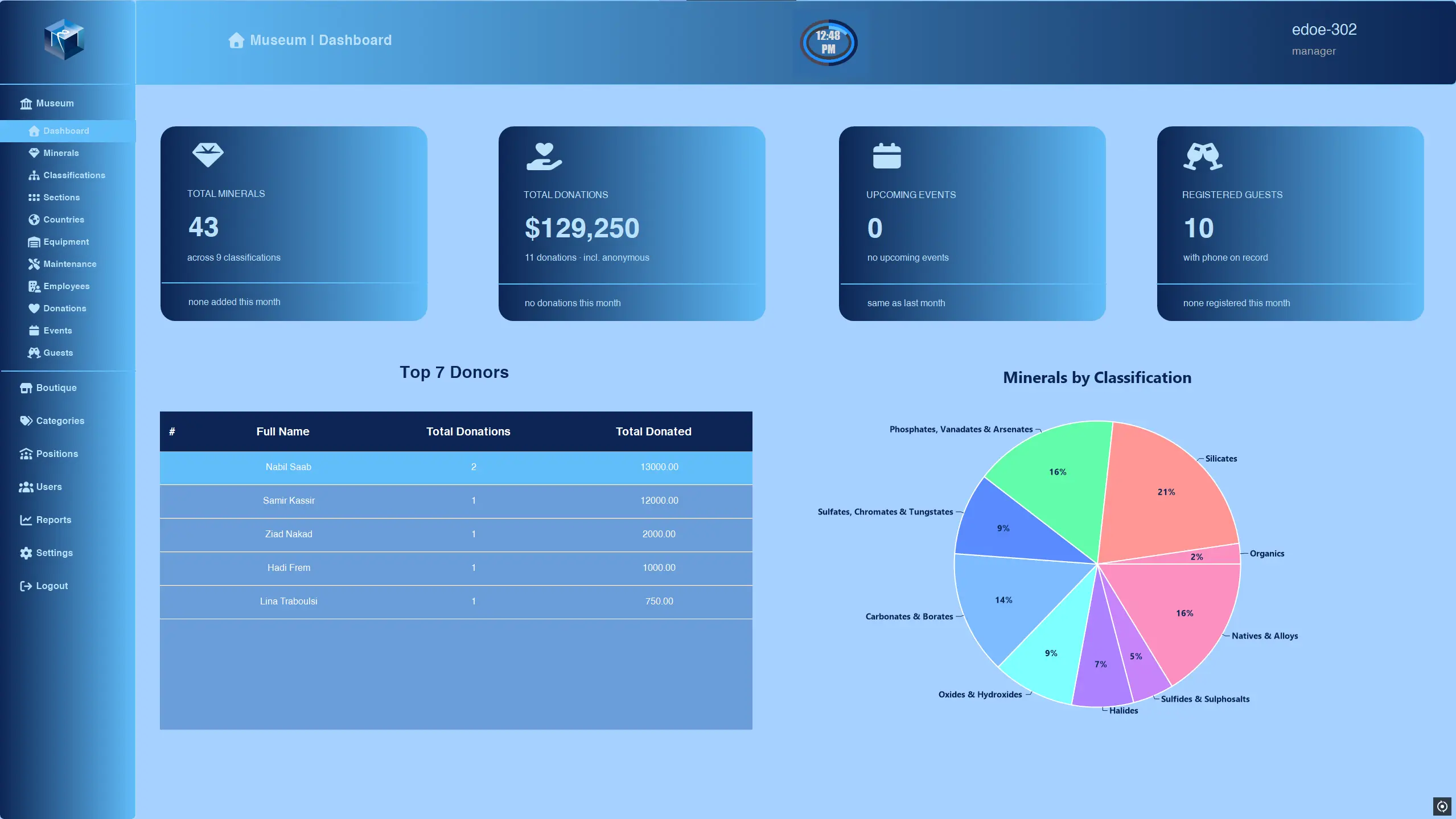
Two halves, one app
The museum and the boutique share employees, equipment and a maintenance schedule, but they do very different work. So the app has one login and one side nav, split into two collapsible sections.
| Museum | Boutique |
|---|---|
| Dashboard with summary cards and a pie chart | Dashboard with summary cards and a pie chart |
| Minerals, with classifications, sections and country of origin | Point of sale |
| Events, with staff and guest lists | Inventory |
| Donations, anonymous or linked to an event | Transactions |
| Guests | Customers |
| Equipment and maintenance | Equipment and maintenance |
| Employees (managers and assistants) | Employees (cashiers) |
The last two rows exist on both sides but show different data. Instead of writing each screen twice, the boutique versions are thin wrappers around the museum ones with a building_filter set:
' boutique equipment host. wraps the shared museum_equipment user control
' with building_filter = "boutique" so the grid + inserts use that building tag.
Dim shared_form As New museum_equipment() With {
    .building_filter = "boutique",
    .Dock = DockStyle.Fill
}
The shared control uses that value in its queries and inserts, so the boutique screen only sees boutique equipment and anything added there is tagged as boutique. For employees, the filter decides which positions show up: managers and assistants on the museum side, cashiers on the boutique side.
Roles
There are three positions, and each one gets a different set of screens:
| Screen | Manager | Assistant | Cashier |
|---|---|---|---|
| Museum dashboard, minerals, classifications, sections, countries | ✓ | ✓ | |
| Events, donations, guests | ✓ | ✓ | |
| Museum equipment and maintenance | ✓ | ✓ | |
| Museum employees | ✓ | ||
| Boutique dashboard, POS, inventory | ✓ | ✓ | |
| Transactions | ✓ | read only | |
| Customers, boutique equipment, maintenance and employees | ✓ | ||
| Users, positions, categories, reports | ✓ | ||
| Settings | ✓ | ✓ | ✓ |
All of these rules live in one place, permission_manager. Every screen is a value in a SystemModule enum, and the manager answers three questions for a position: does it have full access, is it read only, or can it see the module at all.
Public Shared Function has_access(position As UserPosition, [module] As SystemModule) As Boolean
    Return has_full_access(position, [module]) OrElse is_read_only(position, [module])
End Function
Screens never call it directly. They go through session_manager, which already knows who is logged in. When the side nav loads, it turns each button's name into an enum value (btn_museum_equipment becomes MuseumEquipment) and hides the button if that module isn't in the user's list. A whole section header is hidden when the user can't see anything in it, so a cashier never sees the museum section at all.
Access is enforced in the UI: a screen you can't use has no button. The one extra check is in the transactions browser, where deleting a sale is blocked unless the user is a manager.
Logging in
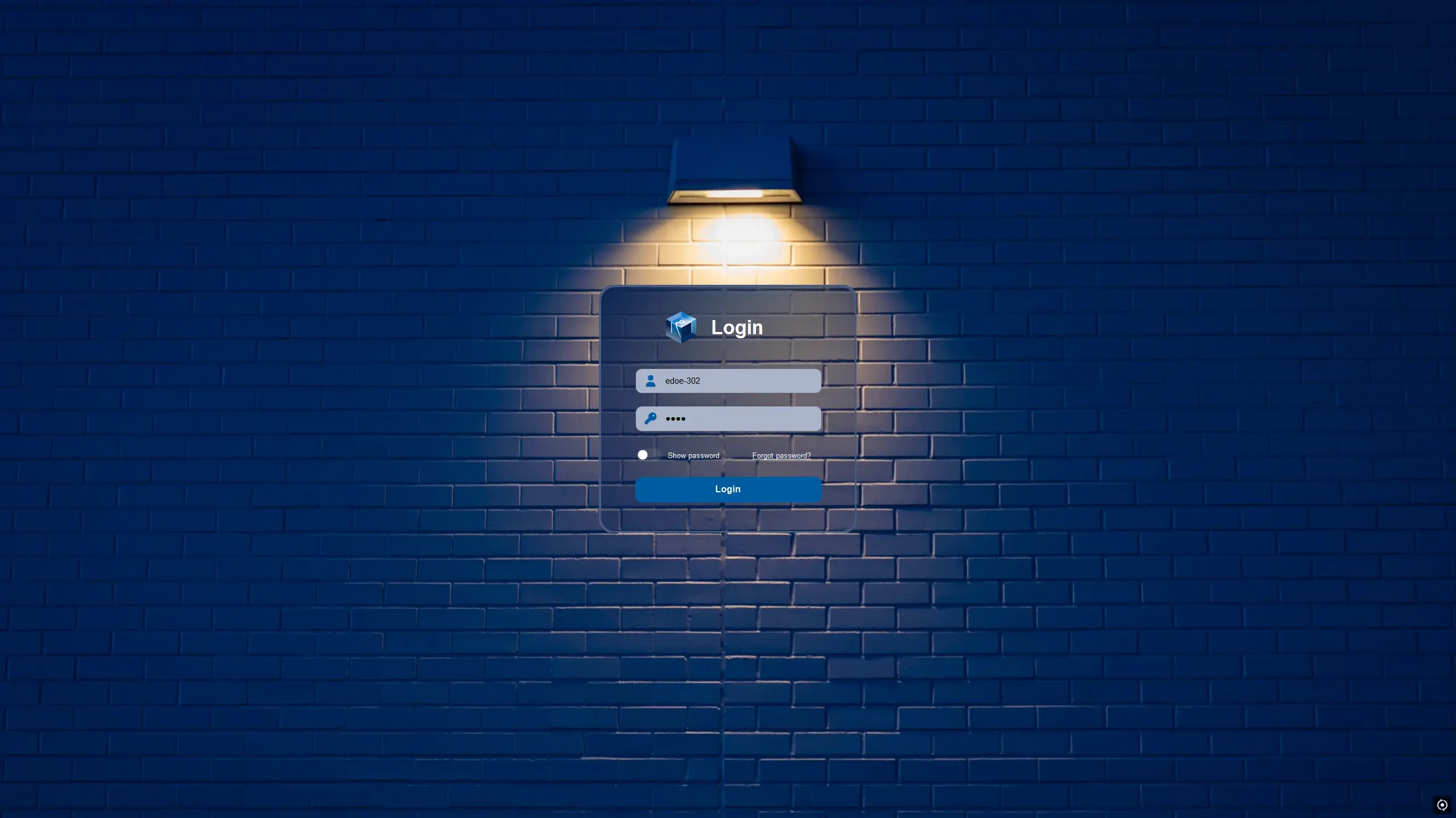
Usernames are built from the employee's name and ID: first initial, last name, a dash, then the ID (edoe-302). Passwords are hashed with BCrypt using the library's enhanced mode, which pre-hashes the password with SHA-384 before BCrypt sees it. That gets around BCrypt's 72-byte input limit.
Public Function generate_password_hash(pass As String) As String
    Return BCrypt.Net.BCrypt.EnhancedHashPassword(pass)
End Function

Public Function valid_password(pass As String, pass_hash As String) As Boolean
    Return BCrypt.Net.BCrypt.EnhancedVerify(pass, pass_hash)
End Function
A wrong username and a wrong password give the same message ("Invalid username or password."), so the login screen doesn't reveal which usernames exist. A successful login also stamps users.last_login.
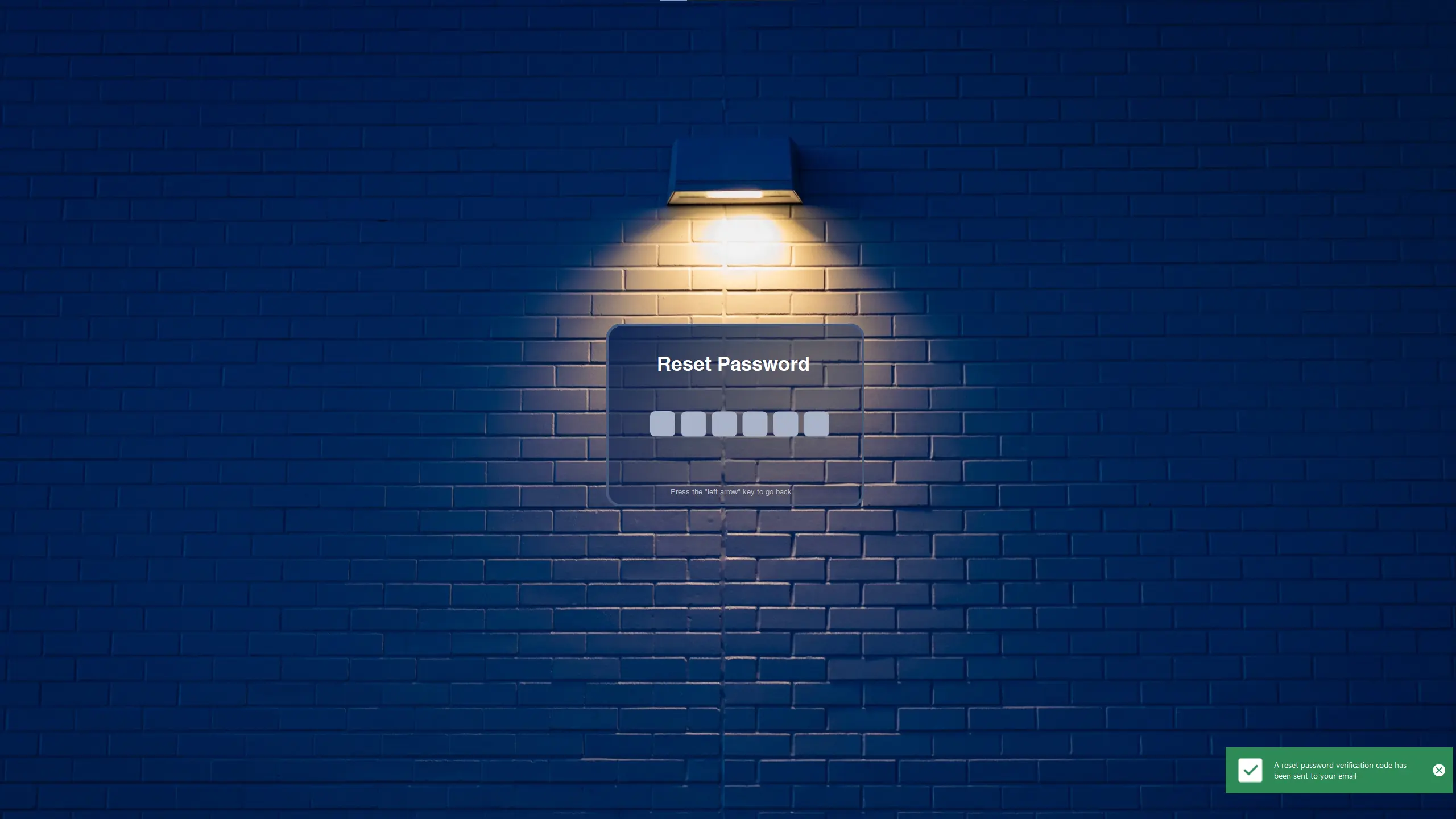
If someone forgets their password, they can reset it by email:
The SMTP host, port and credentials come from App.config, which is gitignored, so no mail credentials end up in the repo. The same new-password screen is reused from the settings page when a logged-in user changes their password.
The database sets itself up
The database has 20 tables. On every launch, before the login screen appears, the app reads schema.sql from the repo and runs it. Each table is wrapped in a check, so running it again does nothing if the table is already there:
IF OBJECT_ID('dbo.classifications', 'U') IS NULL
BEGIN
    CREATE TABLE classifications (
        class_id    INT IDENTITY NOT NULL,
        class_name  VARCHAR(50) UNIQUE NOT NULL,

        PRIMARY KEY (class_id)
        );
END
Indexes on the most-queried foreign keys get the same treatment with IF NOT EXISTS on sys.indexes. After the schema, the app loads countries.json and inserts any country that's missing. The list of countries can change without rebuilding the app.
So setup is: create an empty database, run the app once, run the seed script. The seed uses MERGE, so it's safe to run twice as well.
A lot of the business rules are CHECK constraints, not just form validation. A cash sale must have amount_paid >= total and change_due = amount_paid - total, and a card sale must have both set to NULL. An internal maintenance job needs an employee and no outside servicer, and an external one is the other way round. An event donation needs an event, and a standard one can't have one. If the form code ever gets a rule wrong, SQL Server still refuses the row.
Here is the boutique side of the schema:
Point of sale
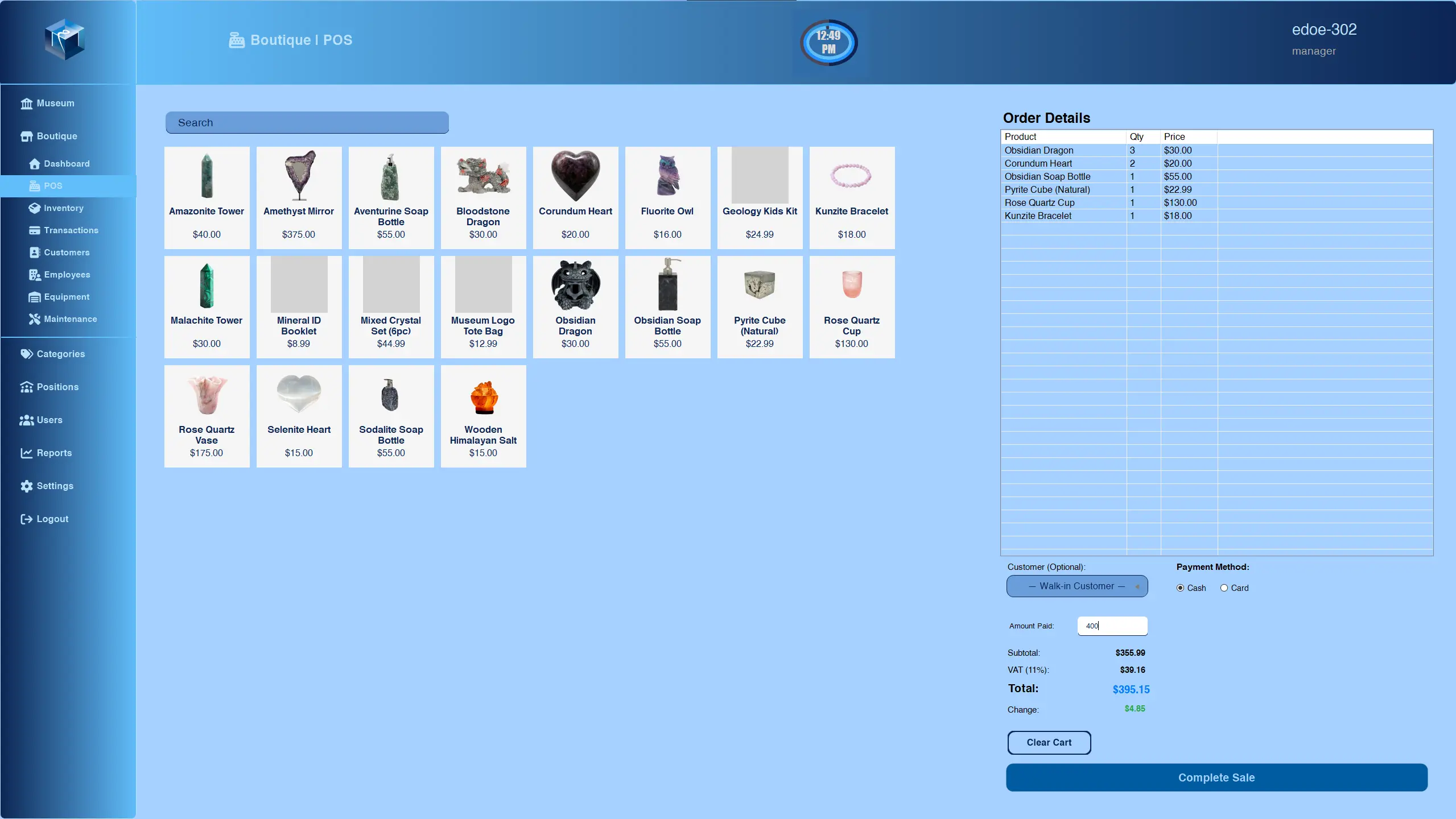
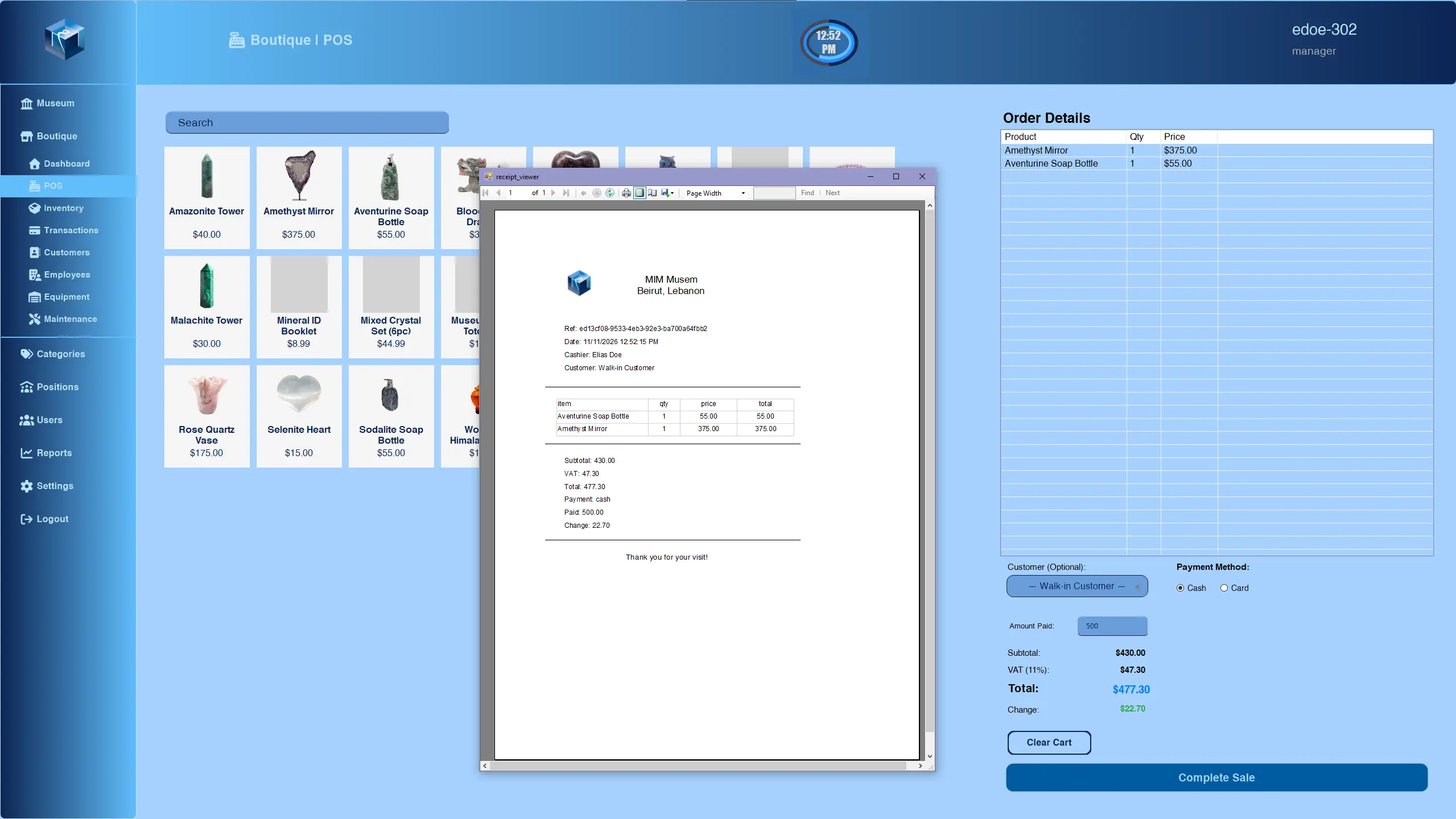
The POS shows every active item as a card with its photo, price and stock. Clicking a card adds one to the cart. Before it does, the app re-reads the stock from the database, so a cashier can't add more units than exist, and an item that was archived since the screen loaded is refused.
The customer dropdown starts on "Walk-in Customer", which is most sales. A registered customer can be picked instead, and the sale is linked to them. Subtotal, 11% VAT and total update as the cart changes. With cash selected, the cashier types what the customer handed over and the change appears as they type, in red if it's not enough. Card payments skip that field.
Completing a sale writes the transaction, one row per item in transaction_items, and takes the sold quantities off the stock. Then the receipt opens.
Each transaction_items row keeps the price the item sold for, not just a link to the item:
-- price at time of purchase (price snapshot)
item_price  DECIMAL(7, 2) NOT NULL CHECK (item_price > 0),
If a pendant sells for $25 and the price goes up to $35 next month, last month's sales still show $25. Without this column, every old report would quietly use the new price.
Transactions use a UNIQUEIDENTIFIER as their key. The transactions browser lists them with their line items, can reopen any receipt, and lets a manager (and only a manager) delete one with Delete.
Inventory
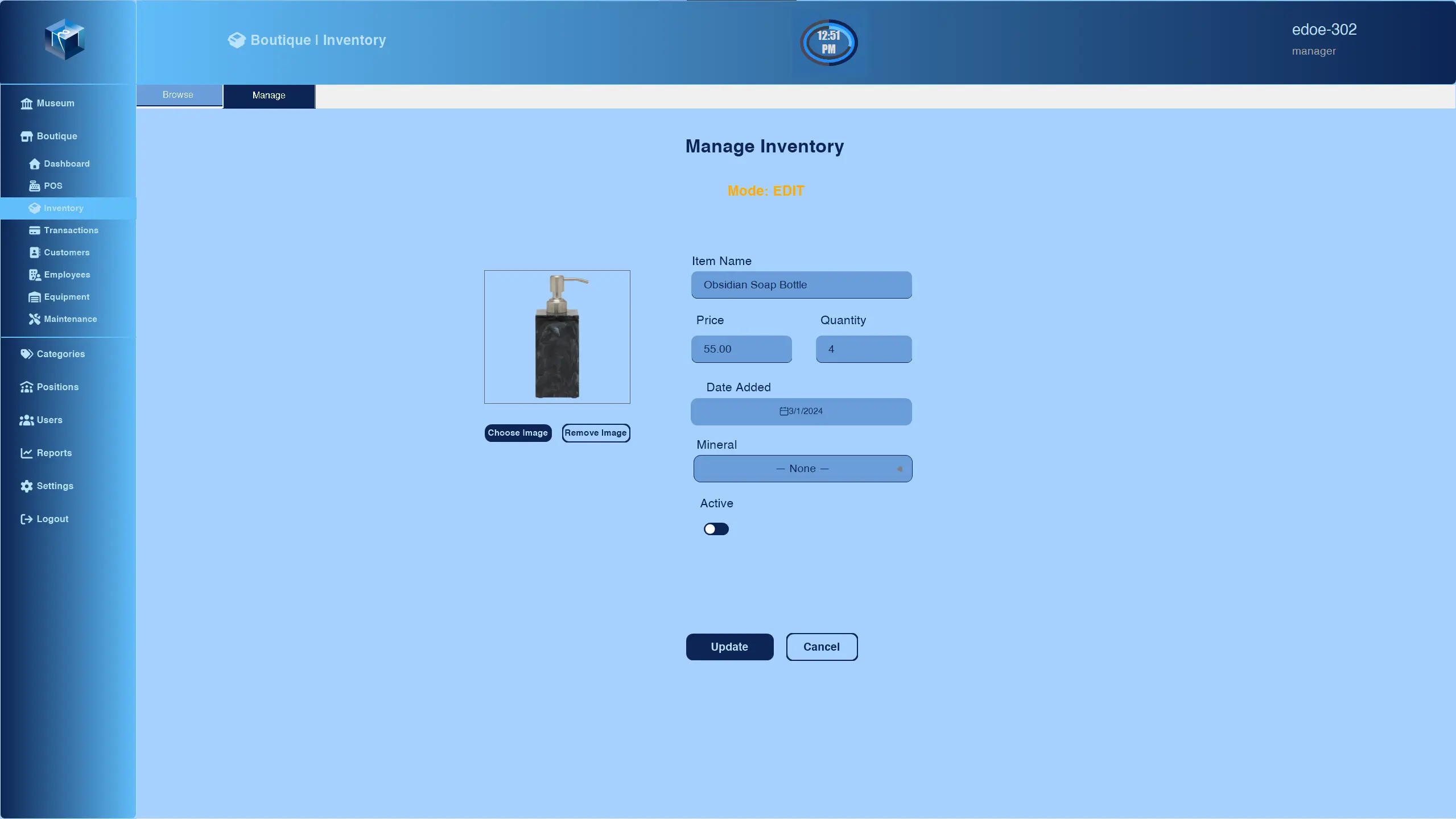
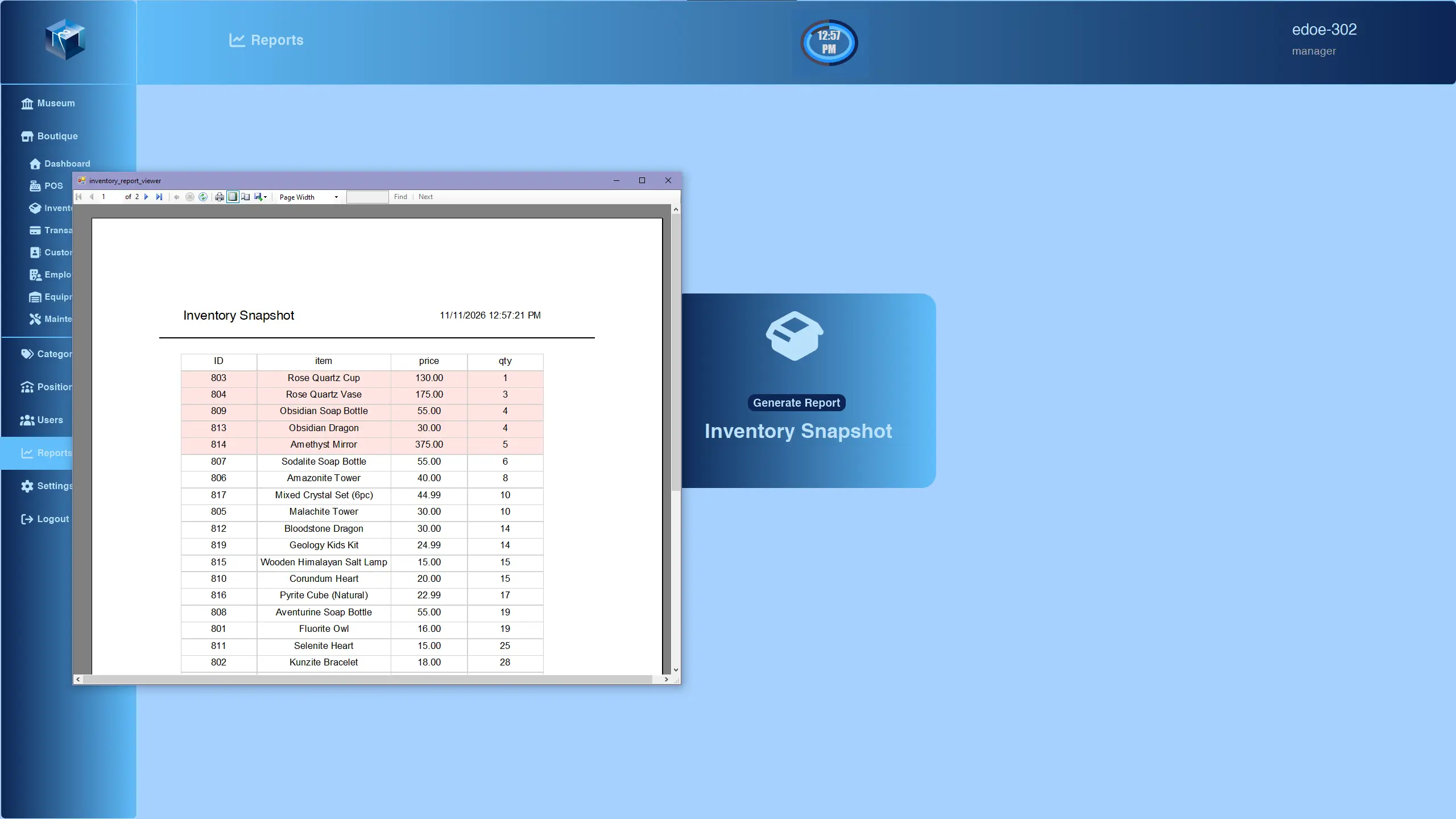
Items have a name, price, quantity, the date they were added, an optional photo, and an optional link to the mineral they're made of. Anything with 5 or fewer units left is highlighted in red.
Uploaded photos are copied into assets/boutique-items/ under a new UUID filename, and only that filename goes in the database. Two uploads called photo.jpg can't overwrite each other. When a photo is replaced or removed, the old file is deleted. If a file goes missing, a placeholder is shown instead.
Deleting an item doesn't remove the row. It sets is_active = 0, which hides the item from the POS and the inventory list. The foreign key from transaction_items has no delete rule, so an item that has been sold can't be hard-deleted, and old receipts always have something to point at.
Reports
Both reports are RDLC files embedded in the app and shown in Microsoft's ReportViewer.
- Receipt: opens after every sale and from the transactions browser. It's fed two data sets: a header row (cashier, customer or "Walk-in Customer", totals, payment details) and the line items, priced from the snapshot column.
- Inventory snapshot: every active item, lowest stock first, with the mineral it's made of and a "Low Stock" flag at 5 or fewer units.
Stack
- Language: VB.NET on .NET Framework 4.8
- UI: Windows Forms with MetroFramework, CuoreUI and ReaLTaiizor controls, OxyPlot for the dashboard pie charts
- Database: SQL Server, through a small
db_controllerclass that takes a SQL string and a dictionary of parameters, so every query is parameterised - Reports: RDLC with the ReportViewer WinForms control
- Passwords: BCrypt.Net-Next
Limitations
- Windows only. WinForms doesn't run on macOS or Linux.
- No live sync. Several copies of the app can use the same database, but one doesn't see another's changes until it reloads the screen.
- Hardcoded connection string. The server name is set in
db_controller.vb, so pointing the app at a different SQL Server instance means editing code and rebuilding. - A sale isn't one database transaction. The sale, its line items and the stock updates are separate statements. If one fails halfway, the earlier ones stay.
- Reset codes live in memory. The code is kept on the reset screen, with no expiry, and it's made with
System.Random, not a cryptographic generator.